 Stashly
Product guide
How to use Stashly
Stashly is one spreadsheet that tracks your freelance income and expenses and shows exactly how much to set aside for taxes — every quarter. Here’s how to set it up and use it, tab by tab.
You don’t need any accounting knowledge. If you can type a number into a cell and pick from a dropdown, you can run Stashly. Set it up once, then spend about a minute a week logging what came in and what went out — the dashboard and tax math update themselves.
Set up once in Settings
Open the Settings tab and fill in the yellow cells: your business name, the tax year, and your tax set-aside %. If you’re not sure what to use, 30% is a safe default — the Settings tab has a built-in “how to pick your %” helper. This is the only setup you have to do.
Log your income
On the Income tab, add a row for each payment: date, client, what it was for, a category, and the amount. Set the Status to “Paid” once the money actually lands — the Dashboard only counts Paid as received, so unpaid invoices don’t inflate your numbers. Use the dropdowns; no typing categories by hand.
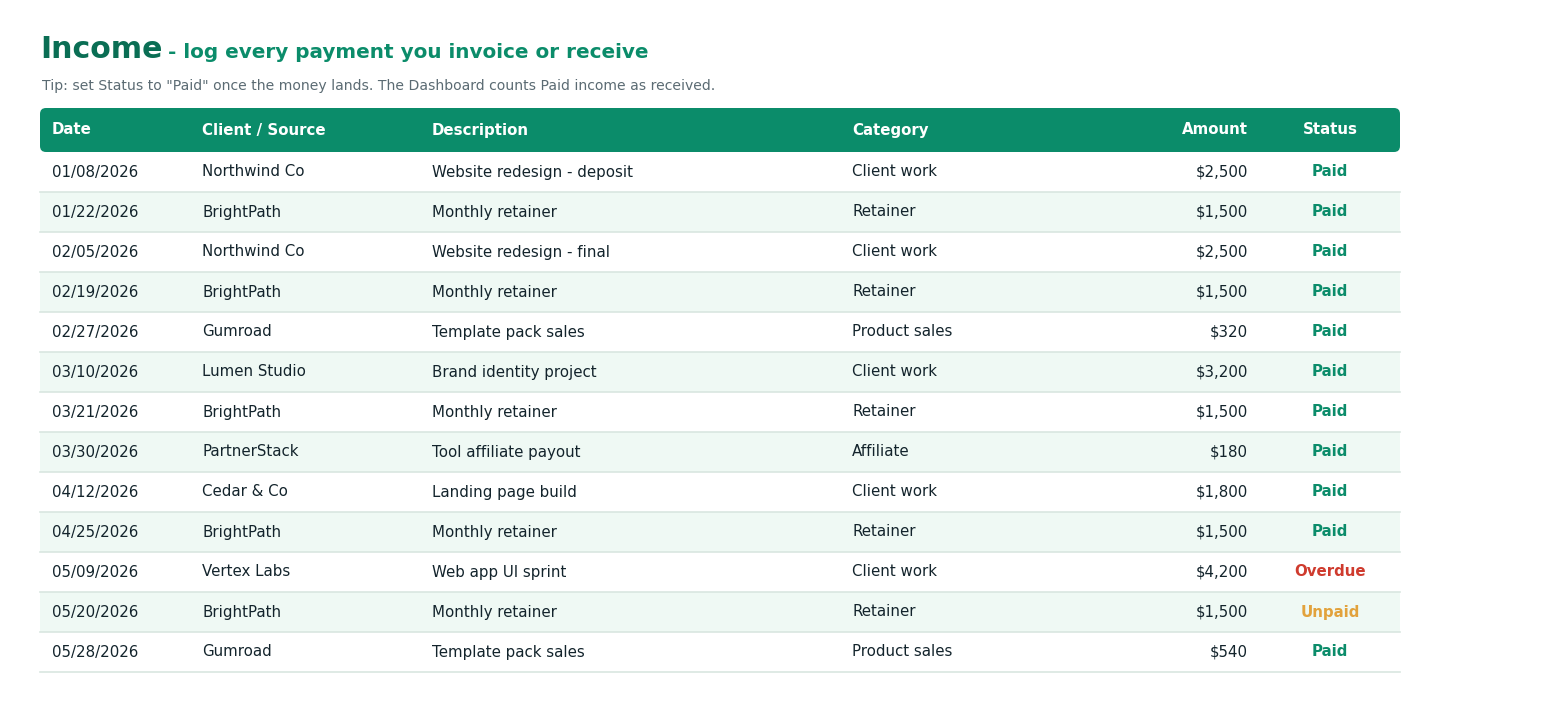
The Income tab — mark each payment Paid when the money lands.
Log your expenses
On the Expenses tab, add each business cost and flag whether it’s deductible. Deductible expenses lower your net profit, which lowers what you owe — so this is money in your pocket. Keep your receipts in case you’re ever asked for them.
Watch the Dashboard
You don’t touch the Dashboard — it updates itself. At a glance it shows your income received, total expenses, net profit, how much to set aside for taxes, what’s still outstanding, and what’s safe to pay yourself, plus charts of where your money goes and your month-by-month trend.
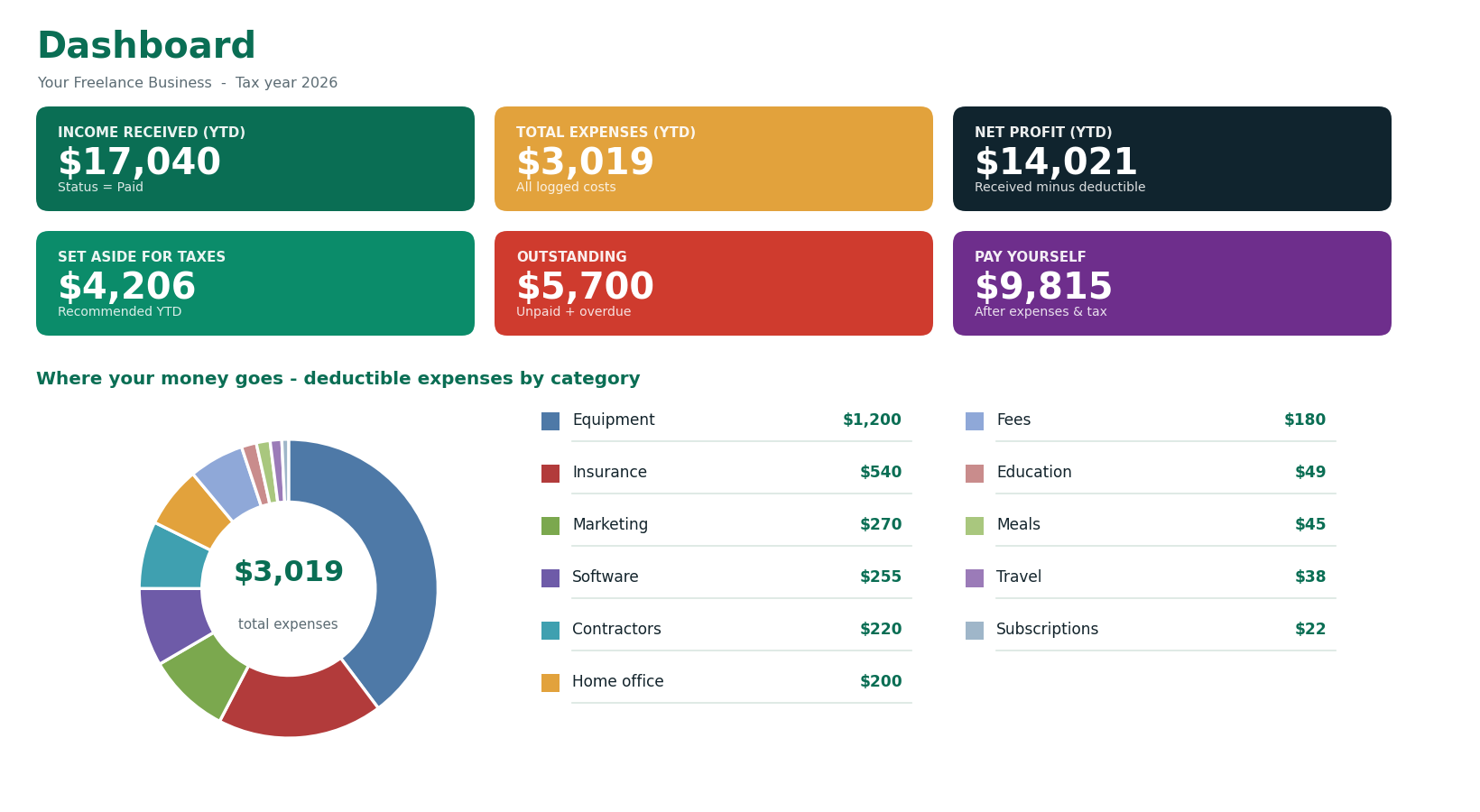
The Dashboard recalculates the moment you log anything.
Set aside your taxes
The Tax Set-Aside tab is the heart of Stashly. It shows the recommended amount to park for taxes and splits it across the four U.S. quarterly deadlines (April 15, June 15, September 15, and January 15). Each time you move money into savings, log it here — the progress bar climbs toward 100% funded so you always know if you’re on track.
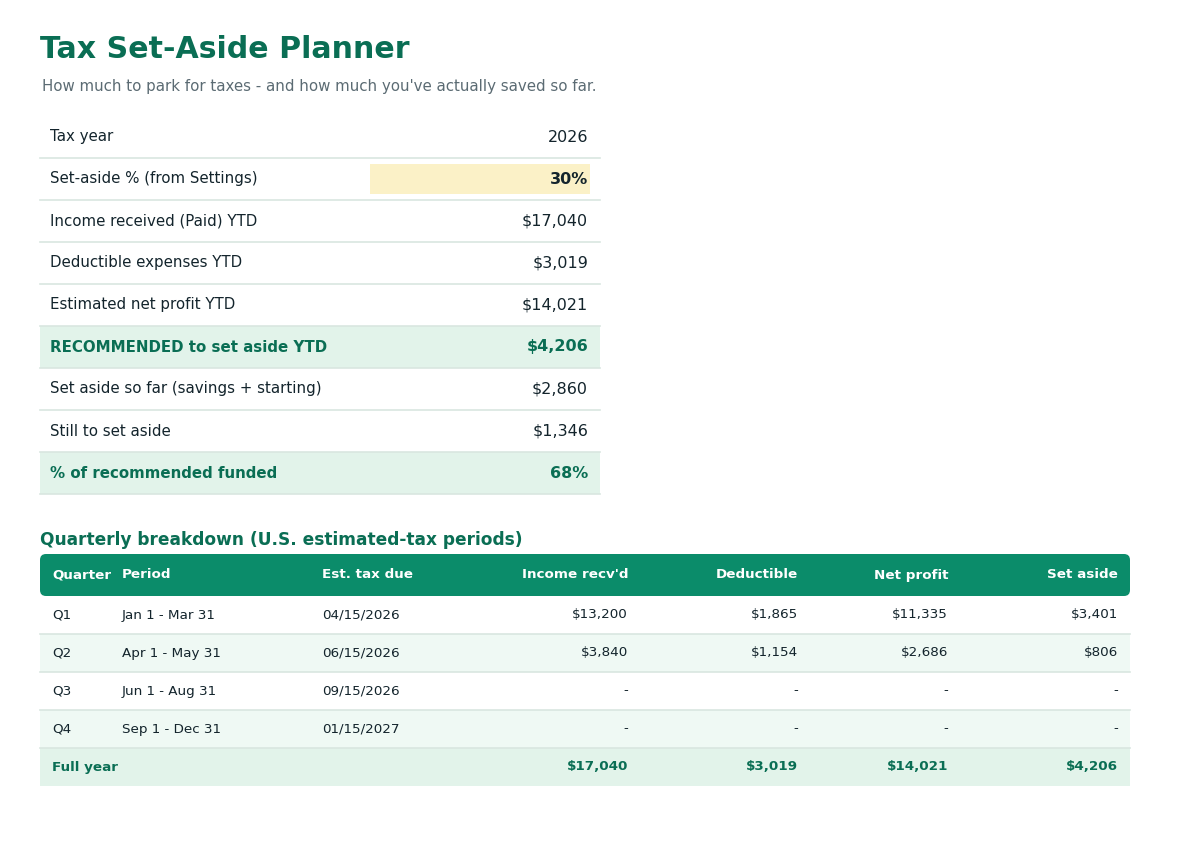
The Tax Set-Aside planner — your number, by quarter, plus a savings log.
Hand the Year-End Summary to your accountant
At tax time, the Tax Summary tab gives a clean profit-and-loss and a deductions-by-category breakdown — a tidy snapshot you can hand straight to your accountant (or use to file yourself). No digging through a year of messy notes.
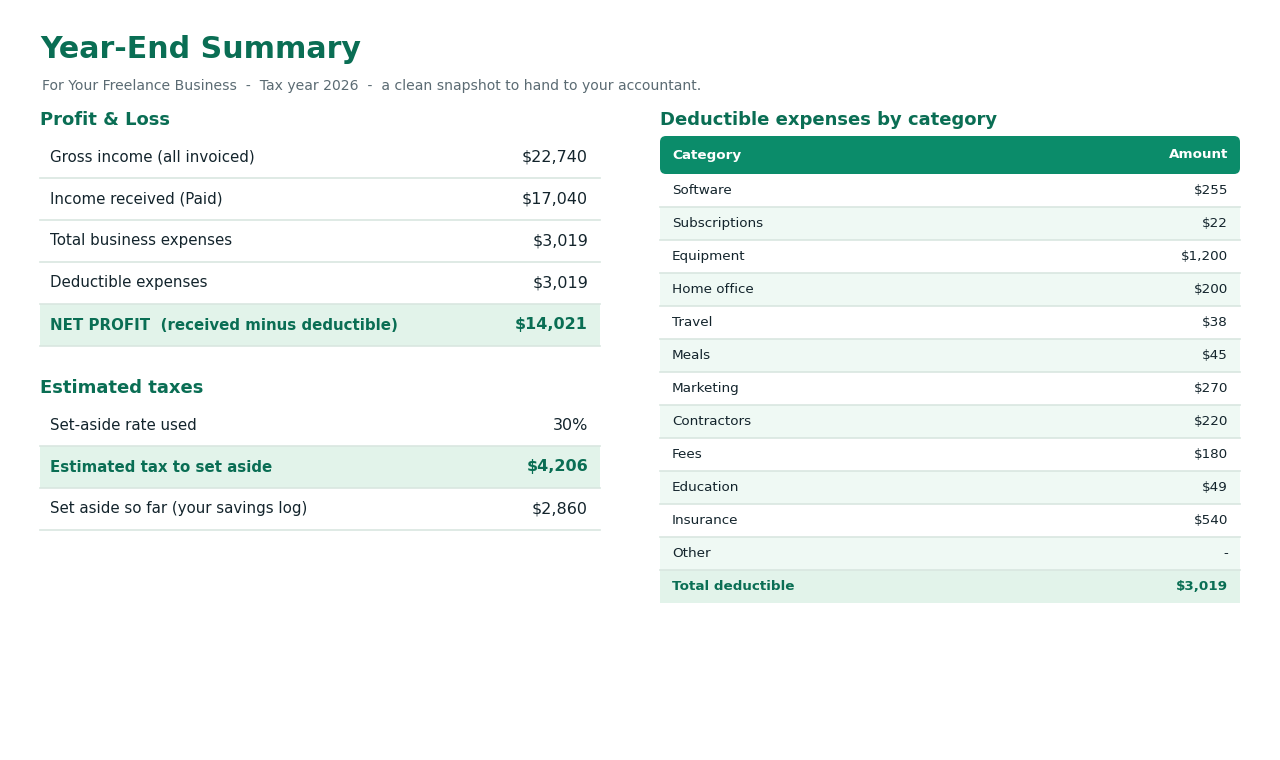
The Year-End Summary — a clean handoff for your accountant.
Track invoices on the side
The Invoices tab tracks what you’ve billed and what’s still outstanding, so you can see at a glance who still owes you money. It’s optional — use it if you invoice clients, skip it if you don’t.
Where should you keep your tax money?
Knowing your number is only half the battle — the other half is not spending it. The single most common reason freelancers get caught short at tax time is that their tax money sits in their everyday checking account and quietly gets spent.
The fix is simple: open a separate savings account just for taxes — a high-yield savings account (HYSA) if you can, so the money earns a little interest while it waits. Every time a client pays you, move your set-aside percentage into that account. When a quarterly deadline arrives, the money’s already there and paying is painless.
How Stashly fits in: Stashly doesn’t hold your money — you keep it at your own bank, fully in your control. It just tells you how much to move and gives you a savings log on the Tax Set-Aside tab so each transfer pushes your progress bar toward 100% funded. Think of the account as the vault and Stashly as the plan.
Stashly is a self-help planning tool, not a financial or tax advisor. A separate savings account is general best practice, not personalized advice — pick the bank and account that fit your situation.
Ready to know your number?
Stashly does the math — what to set aside, by quarter, and what’s safe to pay yourself. One file you own, Excel + Google Sheets, no subscription.
Get Stashly — $14 →Frequently asked
How long does setup take?
About five minutes. Set your tax-set-aside % on the Settings tab, then start logging income and expenses — every other tab updates itself.
Do I need to know accounting?
No. If you can type a number and pick from a dropdown, you can run Stashly. The formulas are already built in.
Does it work in Google Sheets?
Yes — it’s an .xlsx file that opens in Excel or in Google Sheets (File → Import → Upload). Every formula works in either.